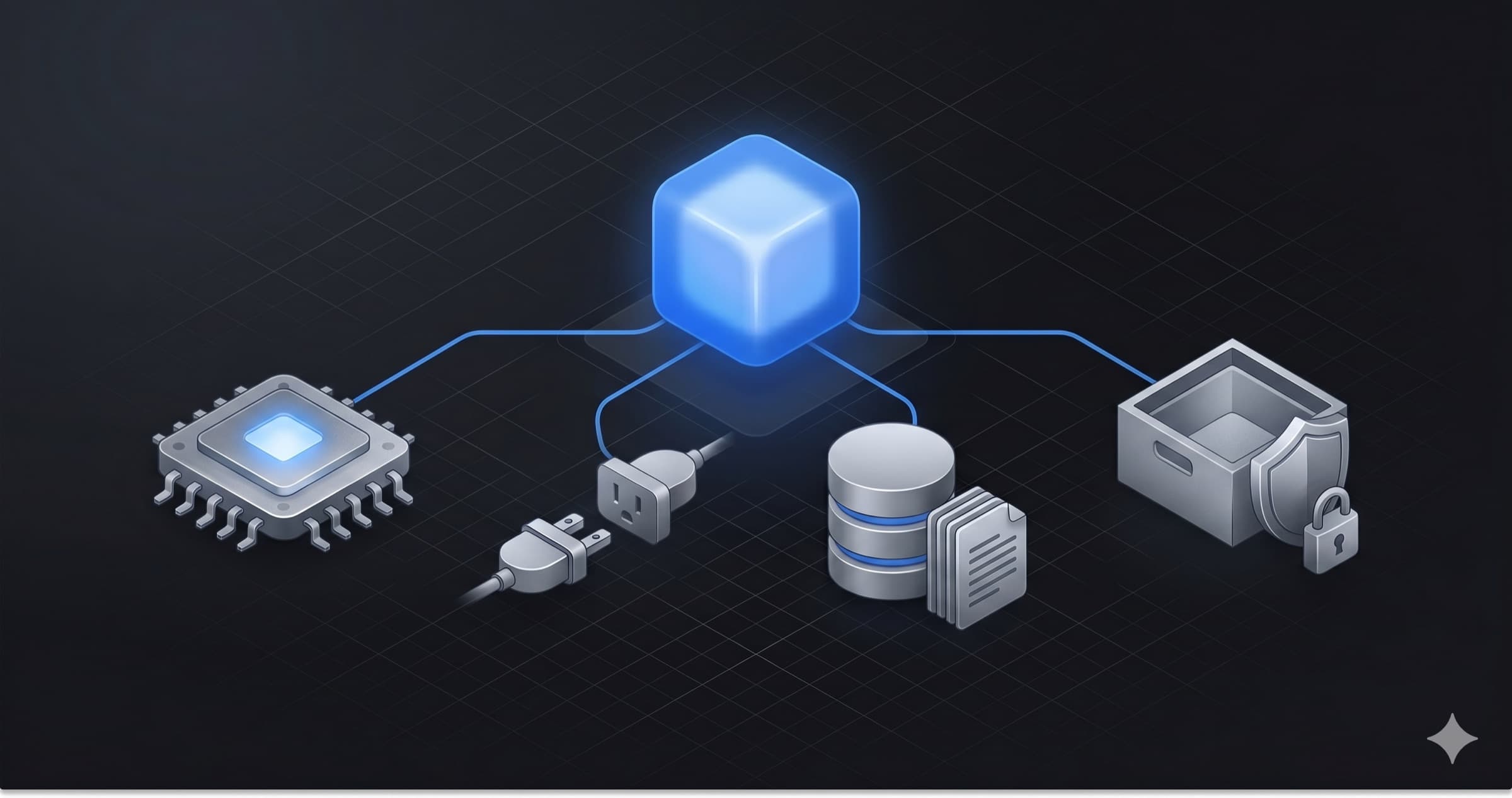
Strip away the framework noise and an AI agent is four decisions. What model drives it. How it reaches the outside world. What it knows. And what it is actually allowed to do. Get one of those wrong and you feel it in production, usually as a bill or an incident.
We have hit both ends of that. One of our agents burned sixteen seconds looping on itself before answering a two-part question, and another quietly mis-filed every ticket as urgent after a single planted sentence. Each one traced back to a default chosen on autopilot on one of these four axes. The third post in this series is the autopsy; this one is how to not get there.
This is the first post in our series on Google's Agent Platform (the 2026 rebrand of Vertex AI). This one covers building an agent. The next two cover shipping it to production and making it something you can trust.
TL;DR
- An agent on this platform is one constructor with four arguments: a model, tools, sub-agents, and instructions. Everything below is how you fill those in well.
- Brain: the API-versus-deploy choice in Model Garden sets your bill before a single token flows. We default every agent to
gemini-2.5-flashand only reach for Pro when reasoning quality beats cost. - Reach: one protocol family connects agents to everything. We wired Notion to an agent in four lines over MCP, and ran an agent-to-agent call over A2A with a 3-of-3 success rate.
- Knowledge: start with managed retrieval (RAG Engine). Drop to raw Vector Search only on a named constraint, not on a feeling.
- Action: "the sandbox" is three different things with three different threat models. Computer Use is the most dangerous tool on the platform, and it has a real use case.
Why this is worth your time now
The protocols stabilized, and the vendors picked sides. By early 2026, on Google's and the Linux Foundation's own numbers, more than 150 organizations were running the Agent2Agent protocol in production, including Salesforce, ServiceNow, SAP, Atlassian, and Workday. The Model Context Protocol was past a reported 97 million SDK downloads a month and is now used by Google, OpenAI, Microsoft, and AWS. A2A is governed by the Linux Foundation, so it is vendor-neutral and multi-cloud. And Vertex AI was rebranded as the Agent Platform, with Gemini Enterprise sitting on top of it as the product layer: one stack instead of app-server stitching.
The platform organizes into four pillars: Build, Scale, Govern, and Optimize. This post is the Build pillar. The other three live in the next two posts.
An agent is one constructor
Before the four decisions, the thing they all plug into. On this platform you author agents with the Agent Development Kit, an open-source Python framework. The entire shape of an agent is a single constructor:
from google.adk.agents import Agent

root_agent = Agent(
    model="gemini-2.5-flash",
    name="coordinator",
    instruction="...",
    tools=[get_weather, add_numbers],
    sub_agents=[time_agent, weather_agent],
)
That is the whole mental model. model is decision one. tools is decision two. instruction plus your retrieval setup is decision three. The execution environment those tools run in is decision four. One CLI (adk create, run, web, eval, deploy) covers the lifecycle, and authentication is a one-time gcloud auth application-default login so no code ever holds a hardcoded key. With that out of the way, the four decisions.
Decision 1: What is its brain?
The model is the one choice that shapes your bill before you write a line of logic, and the fork is not "which Gemini." It is API versus deploy.
In Model Garden, models split into two billing models. The managed API path (Gemini, Claude, and others) bills per token and scales itself. The deploy path (Llama, Gemma, your own fine-tunes) gives you an endpoint you pay for by the hour, per replica, whether or not it is busy. That second path is where teams accidentally run up a bill: deploy a model, forget the endpoint, and pay for idle GPUs all month.
For the model itself, the default that has held for every agent we have built is gemini-2.5-flash: fast and cheap enough for tool routing and retrieval-augmented chat. Pro earns its place only when the agent's reasoning quality matters more than per-token cost, which so far has been none of our cases. You test these in Studio, a visual playground with three modes (single prompt, chat, and side-by-side model compare) where temperature, system instructions, grounding, and safety filters all live before you commit them to code. And you do not start from a blank file: Agent Garden ships pre-built ADK templates and a starter pack with tests, a Dockerfile, and Terraform already wired.
Decision 2: How does it reach the world?
A model that cannot call anything is a chatbot. The moment it needs to do something, you are choosing how it reaches out, and the platform gives you one protocol family for every kind of counterpart.
- MCP, for tools. The Model Context Protocol connects an agent to Notion, GitHub, Slack, BigQuery, your database. We wired the Notion server into an agent in four lines, narrowed it with a tool filter so the model only sees the handful of tools it should, and got real pages back. (Real: this is
my_first_agentin our repo, with the token kept out of source.)
from google.adk.tools.mcp_tool import MCPToolset, StdioConnectionParams

notion = MCPToolset(
    connection_params=StdioConnectionParams(
        command="npx", args=["-y", "@notionhq/notion-mcp-server"],
        env={"NOTION_TOKEN": notion_token},
    ),
    tool_filter=["search", "create_page"],  # pick what the LLM sees
)
- A2A, for other agents. The Agent2Agent protocol lets your agent call another team's agent, or a vendor's, over HTTP. Each agent publishes a card at
/.well-known/agent-card.jsonlisting its skills, and you consume it with aRemoteA2aAgent. (Real: we built an orchestrator and a separate weather specialist as two processes talking over A2A, and verified three of three test queries end to end. Swap the local URL for a Cloud Run URL and nothing else changes.) - Commerce protocols, for transactions. AP2, x402, and UCP let an agent discover products, build a cart, and pay against a user-signed mandate with a spending cap. (We have studied these, not shipped them; the production references are external, like PayPal and Mastercard pilots.)
- A2UI, for the frontend. Instead of always replying in text, an agent can stream structured UI elements, a date picker or a set of cards, and read the response back.
The wire format underneath MCP and A2A is the same: JSON-RPC 2.0, a tiny spec you read once. Learn one, you have both. When you are choosing between these, the rule is the counterpart:
| You are connecting to | Reach for | Boundary | ADK class |
|---|---|---|---|
| A tool or service | MCP | Process to tool | MCPToolset |
| Another team's or vendor's agent | A2A | Process to process | RemoteA2aAgent |
| A worker you own, in-process | sub-agents | Same process | sub_agents=[...] |
Decision 3: What does it know?
A general model knows the internet up to a cutoff. It does not know your runbooks, your tickets, or who your manager is. Closing that gap is a retrieval decision, and the platform has a clear ladder that runs from lightest touch to most control.
- Grounding is the lightest rung, with no corpus to manage. You hand the model a grounding tool and it pulls context inline: Google Search grounding for the open web, or your-data grounding over a Vertex AI Search app, each returning
groundingMetadatawith source URIs you can render as citations. Reach for it when the knowledge is public or already sits in a search app and you just want grounded answers, not a pipeline you own. (Studied, not yet run in our own agents.) - RAG Engine is the default when the knowledge is your own document corpus. It parses, chunks, embeds, stores, and retrieves behind one API, and you drop the result into your agent as a single tool. Standing up doc-aware retrieval is about ten lines: create a corpus, import a bucket of files, wire the retrieval tool. The model decides when to call it.
- Vector Search is the layer beneath. It is the raw approximate-nearest-neighbor store (the same ScaNN algorithm under Google Search) where you bring your own embeddings and schema. You drop to it only on a named constraint: a custom embedding model, custom chunking, or multi-tenant isolation. "I want more control" is not a constraint.
- Vertex AI Search is for when a human is the consumer. It builds a search app over your content with generative answers and inline citations, tuned in a console (synonyms, boosting, banned terms) without a redeploy.
- Knowledge Graph is what makes enterprise chat actually enterprise-aware. It resolves references like "my manager's docs" by looking up the relationship in a graph of your org and rewriting the query to a specific person. Without it, that question just matches any document containing those words.
- Example Store and Skill Registry round it out: one retrieves worked input/output pairs for dynamic few-shot, the other packages domain expertise (instructions plus helper code) that any agent in the org can load on demand.
| Retrieval option | Best for | Control | Citations |
|---|---|---|---|
| Grounding | Public web or an existing search app | Lowest, inline | Built-in |
| RAG Engine | Agent tools over your own corpus | Low, managed | No |
| Vector Search | Raw control on a constraint | High, raw | No |
| Vertex AI Search | Search apps for humans | Low, product | Built-in |
The rule of thumb: default to managed, drop to raw only on a named constraint.
Decision 4: What is it allowed to actually do?
The last decision is the one most people skip, and it is the one that turns an agent from a text box into something that touches your systems. When an agent runs code or drives a browser, where does that happen, and what can it reach?
First, stop saying "the sandbox," because it is three different things:
- Workspaces is the agent's home environment, a long-lived hardened space where it runs shell commands and manages files, isolated from your project's buckets and databases.
- Agent Sandbox is a short-lived, per-execution substrate for model-generated code and Computer Use. It is the most security-sensitive primitive on the platform, because it catches what the model emits at inference time.
- Code Execution Sandbox is an explicit tool the agent calls for stateful multi-step analysis, distinct from the stateless code-execution built into the model.
Different lifetimes, different threat models. Calling all three "the sandbox" is how a security review goes wrong.
Then there is Computer Use: a vision-trained Gemini driving a sandboxed browser by screenshot and action, click here, type there, scroll, screenshot again. It is how an agent reaches systems that have no API, an old internal expense portal, for example. It is also the most dangerous tool on the platform, because a page can show the agent an instruction ("click here and delete all old records") and a naive agent reads it as a command. That is a new attack class, and it is exactly the kind of thing the trust post is about.
All that execution power is why the platform puts a managed guard in front of it, and it follows the same managed-default-plus-escape-hatch shape as every other decision here. Gemini's safety filters screen every request against four harm categories, and Model Armor adds an inline filter for prompt injection, data leakage, and malicious URLs that either logs or blocks before a tool fires. That is the managed default. The escape hatch is the code-level gate you write for your own application logic, the part no generic filter can know. Building that whole boundary is the subject of the trust post. (Managed safety: studied, not yet run against our own exploits.)
The take
The frameworks change and the SKU names change, but the four decisions do not. When you sit down to build, name them out loud: this is the brain, this is the reach, this is the knowledge, this is what it can do. The platform has a managed default for each, and a raw escape hatch for each. Start managed, and earn your way down to raw one named constraint at a time.