Shipping code is easy. Shipping code safely — without waking up at 3 AM to a flood of error alerts — is the real challenge. That's where feature flags come in.
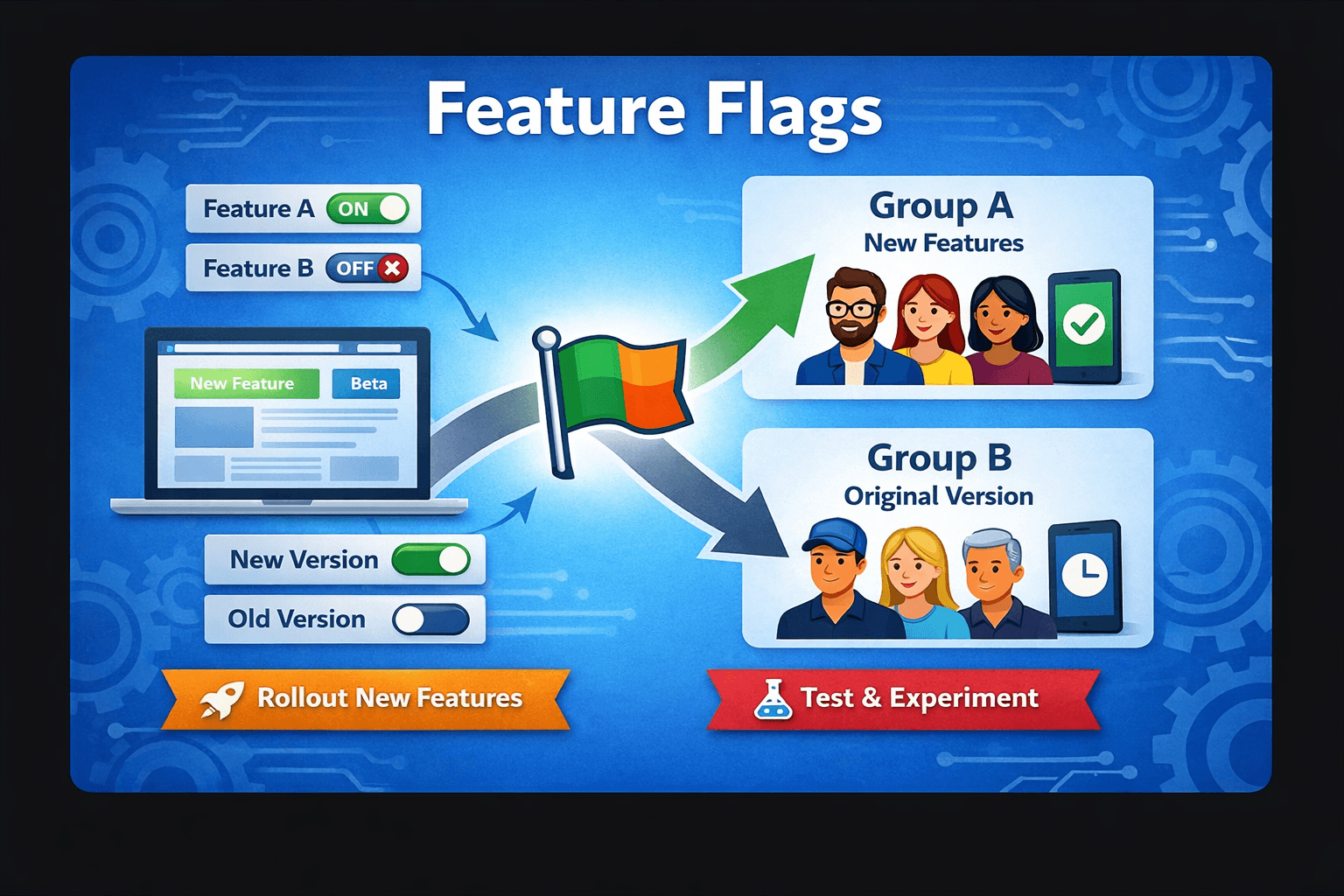
Feature flags (also called feature toggles or feature switches) are one of the most powerful techniques in modern software delivery. They let you deploy code to production without actually activating it for users. You control the switch.
In this post, we'll cover what feature flags are, why they matter, how to implement them, and common patterns used in production systems.
What Is a Feature Flag?
At its simplest, a feature flag is a conditional check in your code:
if (featureFlags.isEnabled("new-checkout-flow", userId)) {
  return <NewCheckoutFlow />;
}
return <LegacyCheckoutFlow />;
The flag value — true or false — is controlled externally, not hardcoded. That means you can turn a feature on or off without redeploying.
A feature flag decouples code deployment from feature release. These are two separate events, and treating them that way unlocks a lot of power.
Why Use Feature Flags?
1. Safer Rollouts
Instead of releasing to 100% of users at once, you can gradually roll out to 1%, then 10%, then 50%, monitoring metrics at each step.
// Roll out to 10% of users
const rolloutPercentage = 10;
const isEnabled = (userId: string): boolean => {
  const hash = hashUserId(userId);
  return hash % 100 < rolloutPercentage;
};
If something breaks, you flip the flag off — no rollback, no redeploy, no hotfix PR. Just a config change.
2. Instant Rollbacks
Traditional rollbacks take time: revert the commit, push, wait for CI/CD, redeploy. With feature flags, you kill a broken feature in seconds.
3. A/B Testing
Flags are the backbone of A/B testing. You can expose variant A to one user group and variant B to another, then measure which performs better.
const variant = getVariant(userId, "checkout-cta-test");
// variant is "control" | "treatment-a" | "treatment-b"
4. Trunk-Based Development
Feature flags enable teams to merge incomplete features into main without them being visible to users. Long-lived feature branches become unnecessary. Your CI/CD pipeline stays clean and fast.
Types of Feature Flags
Not all flags are the same. Pete Hodgson's classic article categorizes them by lifespan and dynamism:
| Type | Lifespan | Purpose |
|---|---|---|
| Release toggle | Short (days–weeks) | Hide incomplete features |
| Experiment toggle | Short–medium | A/B testing |
| Ops toggle | Medium–long | Kill switches for performance |
| Permission toggle | Long | Beta access, plan-based features |
Understanding the type helps you decide how to manage and clean up flags over time.
Building a Simple Feature Flag System
You don't always need a third-party tool. Here's a minimal TypeScript implementation:
Define Your Flag Config
// flags.config.ts
export type FlagConfig = {
  enabled: boolean;
  rolloutPercentage?: number; // 0–100
  allowedUserIds?: string[];
};

export const FLAGS: Record<string, FlagConfig> = {
  "new-dashboard": {
    enabled: true,
    rolloutPercentage: 25,
  },
  "dark-mode-beta": {
    enabled: true,
    allowedUserIds: ["user_123", "user_456"],
  },
  "legacy-payments": {
    enabled: false,
  },
};
The Flag Evaluator
// feature-flags.ts
import { FLAGS, FlagConfig } from "./flags.config";
import { createHash } from "crypto";

function hashUserId(userId: string): number {
  const hash = createHash("md5").update(userId).digest("hex");
  return parseInt(hash.slice(0, 8), 16);
}

export function isEnabled(flagName: string, userId?: string): boolean {
  const config: FlagConfig | undefined = FLAGS[flagName];

  if (!config || !config.enabled) return false;

  // Allowlist check
  if (config.allowedUserIds && userId) {
    return config.allowedUserIds.includes(userId);
  }

  // Percentage rollout
  if (config.rolloutPercentage !== undefined && userId) {
    const bucket = hashUserId(userId) % 100;
    return bucket < config.rolloutPercentage;
  }

  return config.enabled;
}
Usage in a React Component
// Dashboard.tsx
import { isEnabled } from "@/lib/feature-flags";
import { useCurrentUser } from "@/hooks/useCurrentUser";

export function Dashboard() {
  const { userId } = useCurrentUser();

  if (isEnabled("new-dashboard", userId)) {
    return <NewDashboard />;
  }

  return <LegacyDashboard />;
}
Taking It Further: Dynamic Flags
The config-file approach above requires a redeploy to change flags. For true runtime control, you need flags stored externally — in a database, Redis, or a dedicated service.
Fetching Flags from an API
// feature-flag-client.ts
type FlagMap = Record<string, boolean>;

let cachedFlags: FlagMap = {};
let lastFetched = 0;
const CACHE_TTL_MS = 30_000; // 30 seconds

export async function getFlags(userId: string): Promise<FlagMap> {
  const now = Date.now();
  if (now - lastFetched < CACHE_TTL_MS) return cachedFlags;

  const res = await fetch(`/api/flags?userId=${userId}`);
  cachedFlags = await res.json();
  lastFetched = now;
  return cachedFlags;
}
Always add a local cache with TTL on flag fetches. Calling your flag service on every request is a recipe for latency spikes and outages.
Production Patterns
Pattern 1: The Kill Switch
An ops toggle you can flip when a downstream service is degraded:
if (!isEnabled("third-party-recommendations")) {
  return getFallbackRecommendations(); // safe local fallback
}
return await fetchExternalRecommendations();
Pattern 2: Progressive Delivery
const ROLLOUT_STAGES = [1, 5, 10, 25, 50, 100];

// Start at stage 0 (1%), increment as confidence grows
const currentStage = 2; // 10%
const rolloutPct = ROLLOUT_STAGES[currentStage];
Pair this with dashboards tracking error rates, p95 latency, and conversion before advancing each stage.
Pattern 3: Environment-Scoped Flags
const config = {
  "experimental-search": {
    development: true,
    staging: true,
    production: false, // not ready yet
  },
};

export function isEnabled(flag: string): boolean {
  const env = process.env.NODE_ENV as "development" | "staging" | "production";
  return config[flag]?.[env] ?? false;
}
Third-Party Tools Worth Knowing
Rolling your own works for simple cases, but at scale you'll want dedicated tooling:
- LaunchDarkly — industry standard, rich targeting rules, analytics
- Unleash — open-source, self-hostable
- Flagsmith — open-source, supports remote config
- OpenFeature — CNCF standard SDK, vendor-agnostic
If you're on a small team, start simple and migrate to a platform when you feel the pain.
The Flag Debt Problem
Feature flags are powerful, but they accumulate. A codebase with 200 stale flags is a nightmare to reason about.
Rules to live by:
- Every flag should have an owner and a removal date tracked in your issue tracker.
- Set a lint rule or periodic audit to catch flags older than 90 days.
- Flags are temporary scaffolding — remove them once a rollout completes.
// ❌ Don't leave dead flags in production for months
if (isEnabled("new-onboarding-v2")) { ... }  // shipped 6 months ago, 100% rollout

// ✅ Delete the flag, simplify the code path
// Run the new onboarding unconditionally
Technical debt from unreleased flags is just as real as any other kind. A flag you shipped at 100% weeks ago and never cleaned up is a bug waiting to be introduced by the next person who touches that code.
Summary
Feature flags are a foundational practice for teams that ship fast without sacrificing stability. Here's the recap:
- Decouple deployment from release — merge code to
mainbehind a flag - Roll out gradually — go from 1% to 100% with confidence
- Kill switches — recover from production incidents in seconds, not hours
- A/B test in production — measure real user behaviour before fully committing
- Clean up your flags — treat them as temporary; remove them after use
Start small — even a JSON file of flags is a huge improvement over coordinating big-bang releases. As your team and product grow, invest in proper tooling. The discipline pays off every time you avoid a weekend incident.
Have questions or a different approach? Reach out — always happy to discuss.