TL;DR
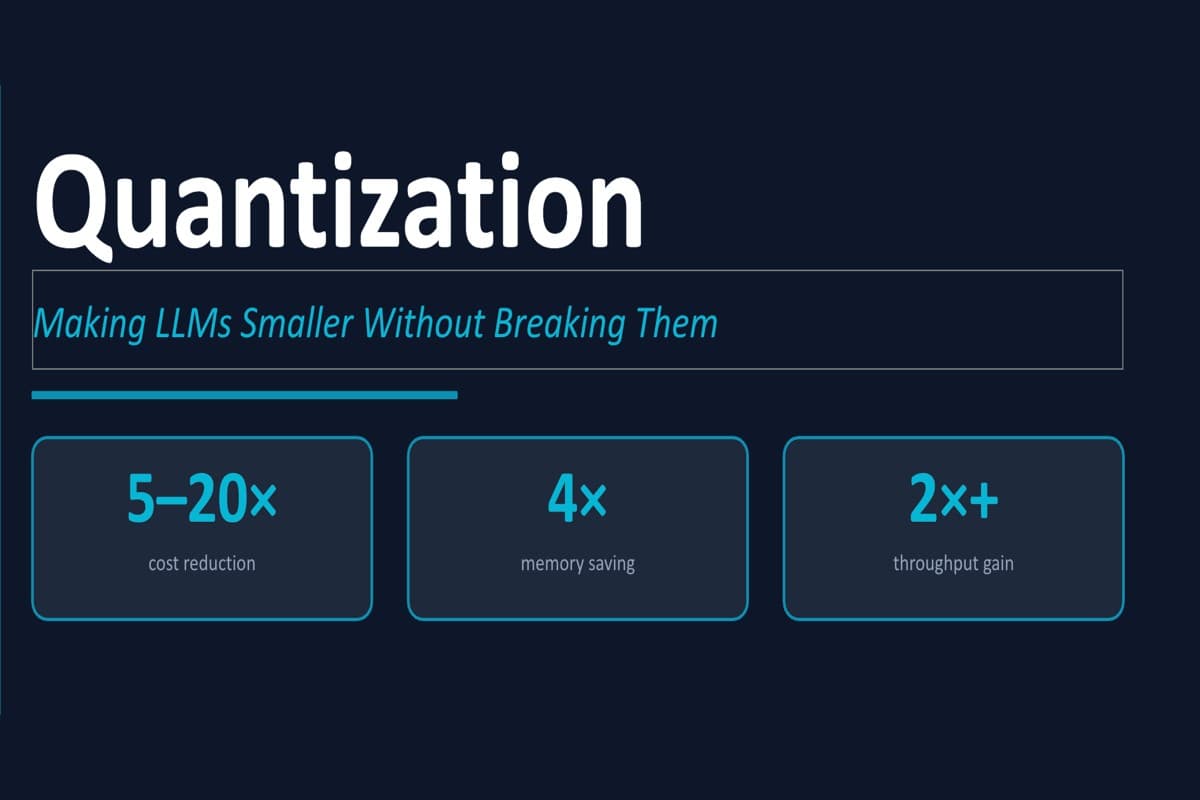
- Running Llama 3.3 70B in FP16 costs ~$46,000/month per model. AWQ Q4 cuts that to ~$12,000 — same model, 4× less VRAM.
- Quantization to INT4/INT8 drops p99 latency by ~41% and more than doubles throughput on Llama 3.1 8B.
- We deployed
RedHatAI/gemma-3-12b-it-quantized.w4a16on a single NVIDIA L4 on GKE Autopilot — 446 tok/s at 114ms median TTFT, $0.50/1M tokens. - That's a 20× cost reduction vs. GPT-4o output pricing for tasks.
Your inference bill is 10-100× higher than it needs to be
Most teams reach for LLM provider APIs for every task — document extraction, classification, summarization — regardless of whether that capability is actually needed. The result is a cloud bill that scales with usage before the product does.
The fix isn't a better deal with your API provider. It's owning your inference stack.
Running Llama 3.3 70B in FP16 requires ~140 GB of VRAM just to load weights. On AWS on-demand, that's roughly $46,000/month for a single model. Quantization is the lever that changes this math.
Inference pipeline has two very different bottlenecks
Before choosing an optimization strategy, understand what inference actually does. Most of the time and memory goes to two phases, and they respond to very different optimizations.
Prefill processes all input tokens in parallel — compute-heavy, determines Time To First Token(TTFT). Decode generates one token per autoregressive pass — memory-bandwidth-heavy, determines Tokens Per Sec(TPS).
| Workload | Bottleneck | What to Optimize |
|---|---|---|
| RAG, doc extraction | TTFT (prefill) | Smaller model, prefix caching |
| Chatbots, code gen | TPS (decode) | Quantization, more VRAM |
| Agentic / tool-calling | Both | Continuous batching, INT8 |
More compute (better instance) improves TTFT. More VRAM improves TPS.
Quantization: storing weights in less precision format
Every model stores weights in 32-bit float, this creates two problems in our inference pipeline. Higher precision means the GPU needs to perform more matrix computation and also need more memory to store those results. Instead we store it as an 8-bit or 4-bit integer with a small scaling constant:
weight = scale × q + zero_point

q          = stored integer (INT4 or INT8)
scale      = calibration constant (keeps range intact)
zero_point = calibration constant (corrects offset)
Quantization methods - GPTQ, AWQ, and GGUF
GPTQ — Post-training, mathematically optimal
Quantizes column by column with Hessian-corrected updates to compensate for accumulated error. Zero overhead at inference time. Best for GPU inference requiring the strongest INT4/INT8 per-layer compression.
AWQ — Activation-aware, protects the 1% that matters
Identifies the ~1% of salient weights via calibration data, scales them up before uniform INT4 quantization. Better quality/compression ratio than GPTQ on chat and instruction-following tasks.
GGUF — CPU-friendly with optional GPU offload
Used by llama.cpp. Grouped quantization with per-group scale constants. Best for local dev, mixed CPU/GPU setups, or no CUDA GPU available. Q4_K_M for balance; Q5_K_M for higher quality.
Does quantization cause quality drops?
Downsizing to a lower precision format does suffer from accuracy loss but even then quantization at 8bit precision virtually causes no accuracy loss. we benchmarked Llama 3.1 8B FP16 Baseline vs. Q4_K_M GGUF and observed these results:
| Task | Sensitivity | Recommended | Quality vs FP16 | Mem Saved |
|---|---|---|---|---|
| Document extraction | LOW | AWQ Q4 | 98.4% | 4× |
| Classification | LOW | AWQ Q4 | 97.9% | 4× |
| Summarization | MEDIUM | INT8 | 97.2% | 2× |
| Q&A / RAG | MEDIUM | INT8 | 96.8% | 2× |
| Code generation | HIGH | INT8 | 95.3% | 2× |
| Multi-step reasoning | HIGH | INT8 | ~95% | 2× |
Quantization doesn't just save memory — it makes the inference faster
For the same llama 3.1 8B model, we measured the performance metrics, both the models were running on e2 standard instance with 8vCPUs and 16GB RAM.
Real world results
Our image captioning pipeline is the cleanest before/after. GGUF quantization at Q8 precision freed enough VRAM to step up the instance tier at the same price — compounding into both latency and throughput gains simultaneously.
The freed VRAM was the unlock — not compression for its own sake. Use this to pick your precision:
In practise: Deploying Gemma 3 12B W4A16 with vLLM
We deployed RedHatAI/gemma-3-12b-it-quantized.w4a16 (weights INT4, activations FP16) on a single NVIDIA L4 via GKE and benchmarked against the ShareGPT dataset.
- Provisioned a GKE Autopilot cluster in with DCGM GPU telemetry enabled.
- Pull the model from HuggingFace and deploy using vLLM
- Verified the OpenAI compatabile endpoint and benchmark against the ShareGPT Dataset.
Benchmark Results — Single NVIDIA L4
We ran RedHatAI/gemma-3-12b-it-quantized.w4a16 against the ShareGPT dataset at two load points — a single request in flight and ten requests in flight — using vLLM's benchmarking tool.
Concurrency = 1
At a single concurrent request, the L4 processes 446 total tokens per second (222 output tokens plus prompt tokens consumed during prefill). The GPU is working, but not saturated — a single decode loop leaves most of the available memory bandwidth idle between token steps.
For most interactive use cases 200ms latency for TTFT makes sure the responses feels realtime and natural. For latency-critical pipelines, it is worth baselining in production so you know when it moves. The median TTFT of 114ms means half of all requests see their first token in just over a tenth of a second.
Once generation starts, each output token arrives in roughly 51ms on average. A 200-token response streams over about 10 seconds. The decode phase at single concurrency is the most consistent part of the pipeline: one active sequence, memory bandwidth as the only constraint.
Concurrency = 10
At ten concurrent requests, total token throughput stays at 409 tok/s. With multiple sequences sharing the GPU, the decode batching math works in the hardware's favor — the same matrix operations now cover multiple sequences per step, making fuller use of available compute. For a single L4, this is the point where throughput holds but the queue starts to shape the user experience.
The median TTFT of 319ms means half of all requests see their first token within a third of a second. For asynchronous workloads — batch summarization, background document extraction, offline classification — this is workable.
The time per output token is 46ms mean, 50ms P99. The distribution is narrow — only a 4ms spread between the typical case and the worst case. With multiple active sequences, the GPU's memory bandwidth is used more effectively: each decode step covers more work per cycle, and the per-token arithmetic improves. Once a request clears the prefill queue, it generates tokens at roughly the same pace regardless of how many other requests are in flight. The bottleneck at this load is entirely queue depth — not generation speed.
| Scenario | Config | Est. Cost |
|---|---|---|
| <5 interactive users | Single L4, W4A16 | ~$0.80/hr |
| 10-50 concurrent users | 2× L4 or A100 | ~$2-4/hr |
| Batch / async workloads | Single L4, max throughput | ~$0.80/hr |
| Highest quality required | A100 80GB, INT8/FP16 | ~$3-4/hr |
Challenges faced
vLLM requires a GPU at import time. vLLM has no CPU fallback — engineers without GPU access can't run it locally. Use llama.cpp or Ollama with GGUF models for local dev, and reserve vLLM for GPU-backed staging and production. Keep both in your toolchain.
GKE Autopilot's 10Gi storage cap. Autopilot enforces a hard 10Gi ephemeral storage limit per pod. Installing vLLM via pip inside a benchmark pod will exceed this. Use the vllm/vllm-openai Docker image as your benchmark base (vLLM pre-installed), download scripts via curl, and install deps separately. Always set --max-model-len — 128K KV cache OOMs a 24 GB L4.
Request rate is not concurrency. The vLLM script's --request-rate is a Poisson arrival rate in req/s — not concurrent requests in flight. --request-rate=10 against a server saturated at 1.6 req/s piles up a queue and inflates TTFT with wait time. Always use --max-concurrency for meaningful concurrency benchmarks.
Quantization checklist
Match precision to task sensitivity. Extraction and classification can run AWQ Q4 with >=98% quality and 4× memory savings. Code generation warrants INT8 as the safe default. Don't default to FP16 out of habit.
Pull pre-quantized checkpoints first. For most major open-weight models, official AWQ/GPTQ variants exist on Hugging Face. Search {model}-AWQ or {model}-GPTQ before attempting to quantize yourself.
Deploy, benchmark, then decide. A single L4 at $0.80/hr running W4A16 delivers 446 t/s at 114ms median TTFT — ~$0.50/1M tokens. That's a 5-20× reduction vs. flagship API pricing. Stand it up, run the numbers against your own dataset, and let the data make the case.
If you're running any LLM workload at scale and haven't profiled your inference stack, you're almost certainly overpaying. The configs, YAMLs, and benchmark commands are all above — run them against your own workload and see where the dial should sit.